



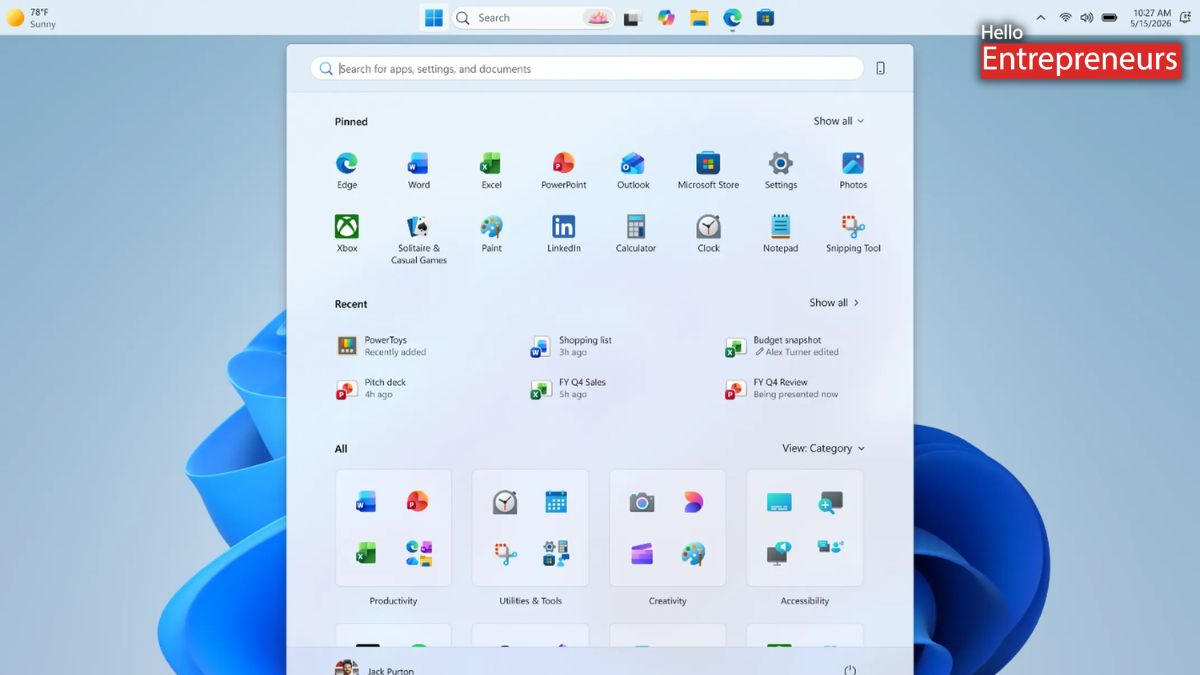
New Delhi: Microsoft has officially unveiled a latest series of customization features for its Windows 11, with a focus mainly on the Start menu and taskbar experience. This upgrade is rolling out to Windows Insiders in the Experimental channel, enabling users to shift the taskbar to different sides of the screen, use a smaller taskbar, and gain more control over the Start menu layout. The latest tweaks aim to improve usability, workspace management, and personalization based on user feedback.
Microsoft is also returning with the return of the flexible taskbar positioning, Windows Insiders will now be able to move the taskbar to the top or sides of the screen. Microsoft has said it has been one of the most requested features, and that it is bringing it to Windows 11. Now, Windows 11 also enables different icon alignment options depending on where the taskbar is placed. Users can now choose between centered or left-aligned layouts on horizontal taskbars, while vertical taskbars can show icons at the top or center.
Start, Search, and other flyout menus will automatically going to adjust which is actually based on the taskbar’s position. When using a vertical taskbar with Never combine taskbar buttons and Show labels allowed, each application window appears as a separate labeled button, making it easier to identify and switch between windows. It is also exploring more features, by including separate taskbar positions for multiple monitors and drag-and-drop support. Microsoft aims to keep the experience much simpler and stable while avoiding accidental taskbar movement.
Alongside, they have unveiled a smaller taskbar option in Windows 11 for users who want more usable screen space, especially on compact displays. When allowed, this feature reduces both the taskbar height and icon size, by creating more vertical zoom for applications and content. Microsoft is rolling out to Windows Insiders in the Experimental channel and can be enabled via taskbar settings without requiring a restart or sign-out.
Start menu should work differently for every user, whether they prefer pinned applications, recent files, or more complete layout. It makes changes to improve Start menu customization and the quality of recommendations shown by default. Customizing the Start menu currently requires users to manage multiple settings in different sections of Windows. The upcoming changes are focused on making the process simpler and easier to manage. Separate toggles to independently show or hide the Pinned, Recommended, and All Apps sections for easier Start menu customization.
Dedicated control for file recommendations, by enabling users to turn off recommendations in Start without affecting recent files or jump lists in File Explorer. Latest Start menu size options that let users choose between Small and Large layouts for a more consistent experience across displays. An option to hide profile names and pictures in the Start menu for added privacy during screen sharing, streaming, or presentations.
It is also improving the content shown in the Start menu recommendations section for users who choose to keep the feature enabled. Microsoft is also renaming the Recommended section to Recent to reflect better that it mainly shows recently used files and newly installed applications. Recently installed applications will continue appearing because many users discover applications via this section.
It is also going to improve the file relevance by refining which files appear and how they are organized. This should help reduce less useful recommendations and make the section more relevant to recent activity. These features will roll out gradually to Windows Insiders in the Experimental channel over the coming weeks. Some of the features, including search boxes in alternate taskbar positions and improved touch gestures, are still in development.

