



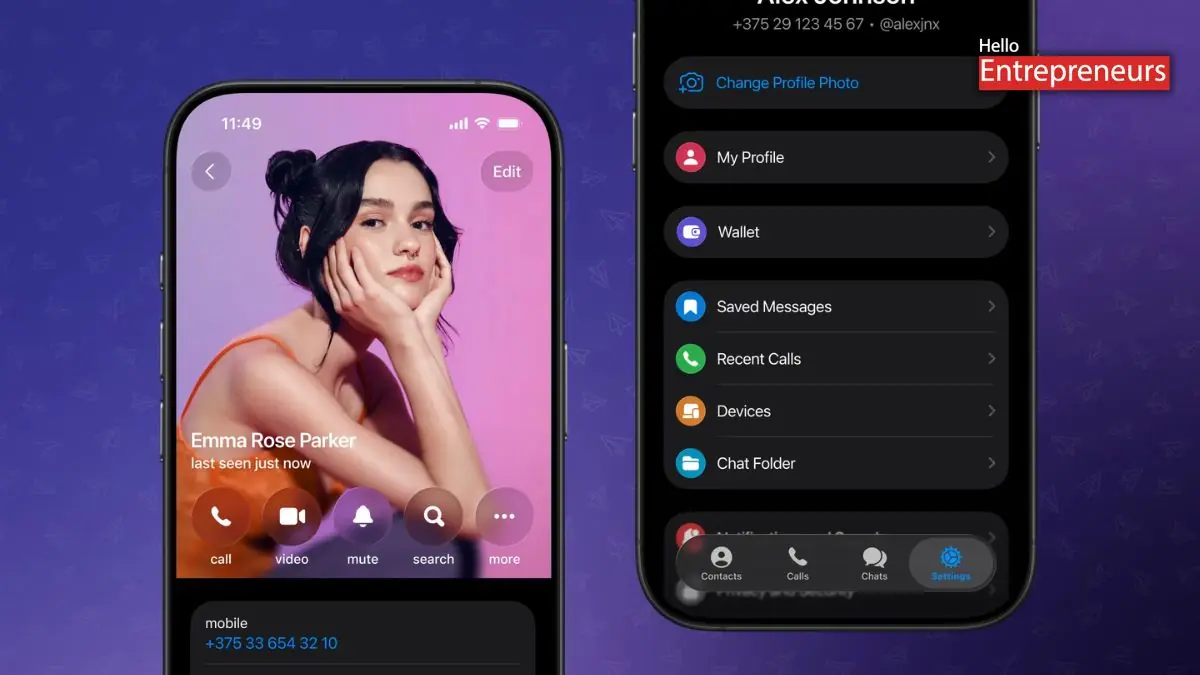
New Delhi: Telegram has been reported by some sources to be rolling out a significant redesign for its Android application, unveiling the latest look inspired by Apple’s Liquid Glass design style. This latest update comes with changes to navigation, layout, and visual styling, including the latest bottom navigation bar, transparent user interface elements, and upgraded menus. This latest update also brings some changes across the application, making it one of Telegram’s most significant interface refreshes on Android to date. This redesign is stated to be arriving with Telegram for Android version 12.4.0, which is currently rolling out widely through the Play Store.
This recent update also builds on the design changes introduced in late 2025, but it expands the Liquid Glass-inspired look more evenly across its application. Telegram has also introduced a four-tab bottom navigation bar on Android. The tabs also include Chats, Contacts, Settings, and Profile, and the bar remains visible even when the user scrolls. The layout is reported to be similar to what iOS users are already familiar with, transparent and glass-like UI elements are also prominent, mainly when the application is used in light mode.
Telegram has also removed the hamburger-style side menu entirely. These latest features that were previously accessed through that menu, such as creating a latest group, are now available through the three-dot overflow menu, which is located at the top-right corner of the chats screen. This newest change is intended simplify navigation, though it represents a clear shift from Telegram’s earlier Android-focused design choices. The Android redesign appears to follow that same visual direction.
Telegram is also continuing to move towards a more unified design across the platforms, even if that means adopting design cues more commonly associated with iOS. Telegram’s Android application has adopted Apple’s Liquid Glass design style, bringing several visual changes across the interface. The update also comes with the rounded cards, throughout the application, along with the blurred and translucent backgrounds that create a layered glass-like effect, Icons and spacing that have been softened for a cleaner, more readable layout.

