



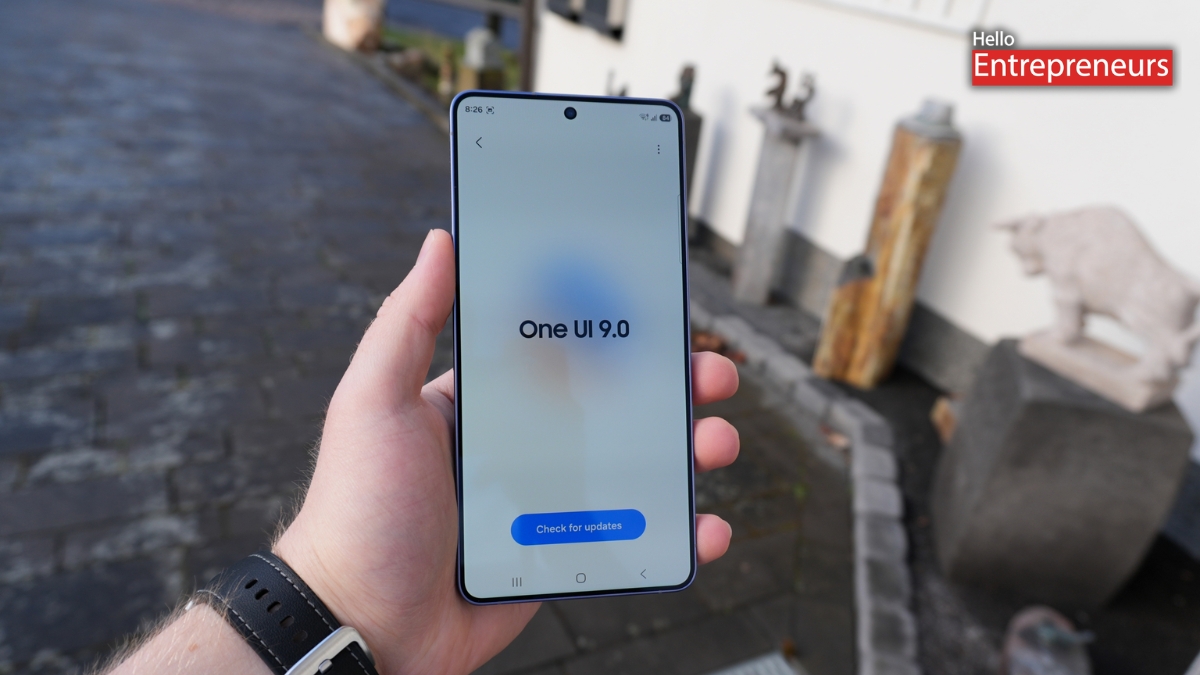
New Delhi: Samsung officially announced its latest custom Android interface One UI 9, with its impressive set of new features and characters which are centered on personalization, security, productivity and Galaxy AI. The update will enhance overall user experience, plus offer a number of handy changes to Galaxy devices.
The update will roll out to eligible Samsung Galaxy devices potentially over the next few months, and these will come as standard with the newly released Galaxy Z Fold 8 and Galaxy Z Flip 8.
Fully Customizable Quick Panel
One UI 9 also has a completely new ‘quick panel’ feature which provides more flexibility than past versions. Quick setting tiles can be resized, positioned in either a row or column, and even rotated to play a square or rectangle format.
The thickness of the brightness and volume sliders have also been increased and made easier to use, as designed by Samsung. There’s even a nice makeover for Dark Mode and sound controls.
Redesigned Media Player
A modernized interface with animated waveforms is being introduced for the ultimate media player, which will be seen on the lock screen, Now Bar, Quick Panel and the full screen as well. The new design is more engaging to look at when enjoying music, podcasts or watching videos.
Improved Game Booster
Gamers can enjoy a new Game Booster UI. Swiping side while gaming gets users to a new control panel with:
- Bypass Charging support
- Quick Screenshot shortcut
- New game controls and shortcuts.
- Easier navigation
- Better Privacy Indicator
Better Privacy Indicator
The location usage indicator has been enhanced with extra privacy features for Samsung’s smartphone. If an app is accessing your location, clicking on the blue indicator promptly shows you the application that accessed the permission. The user will be able to access or deny permission to access their location merely from the notification.
Expanded Pro Video Controls
The One UI 9 update to the Samsung Galaxy M11pro introduces more frame rates to the video recorder. In addition to the available 30 FPS and 60 FPS modes, options are now available:
- 24 FPS
- 25 FPS
- 48 FPS
- 50 FPS
- 100 FPS
Available in the Camera app’s Pro Video mode, these allow increased flexibility to creators.
New Brute Force Protection
Breaking pivot and securing repeated unlock attempts is part of the security upgrades rolled into One UI 9. One of the largest security improvements included in the changes in One UI 9 is Brute Force Protection, which safeguards devices from repeated attempts to unlock them.
If the PIN/pattern is been repeatedly entered, the stored PIN/pattern is going to be erased and the display is cleared.
- After five incorrect attempts, the phone locks for one minute.
- After ten attempts, it locks for four hours.
- After twelve attempts, it locks for 24 hours.
- On the thirteenth failed attempt, the device automatically performs a factory reset.
This feature will secure private information in case of theft or unauthorized access.
AI Assistant Activity Dashboard
Samsung has just introduced a new AI Assistant Activity Dashboard in Settings > Security & Privacy. With dashboard features, users can track down what happens with AI assistants like Gemini, giving them a better insight into interactions and usage history.
Galaxy AI’s My Fan Cam
Video editing using a new Galaxy AI feature called My Fan Cam is in a league of its own. The AI can extract a subject from a video recording and can generate a vertical video, meanwhile staying always focused on the user’s selection.
The feature can be used via the Galaxy AI editing tools in the Gallery app, by tapping on a video and selecting the Galaxy AI editing tools.
Improved Now Brief
Samsung has added a new feature to the capabilities of its new app, Now Brief; users can now design a card with information relevant to themselves.
The feature may be exhibited as:
- Seven-day weather forecasts
- Health information from connected Galaxy wearables
- Favorite videos
- Other personalized updates
This renders Now Brief a more useful repository of information with every day.
Warranty & Care Hub
In One UI 9 the new dedicated Warranty & Care Hub gathers all after-sales solutions in one place. Users can:With a single interface, users can:
- Run device diagnostics
- Check warranty status
- Contact Samsung Support
- Schedule repair/service appointments
Smarter Smart Switch
Samsung has made the migration from iPhones even easier with now-stronger Smart Switch. The revamped tool can now transfer more content such as wallpapers, apps, cached data, login info and a few personal settings, which would make it easier for the transition between ecosystems.
AI-Powered Calling Features
Under Galaxy AI’s Call Assist settings, Samsung is also adding Call Brief, a AI service to help users with their calls. AI can present the appropriate context in conversations during phone calls.
Plus, there are updates in call recording behaviour in One UI 9. The software now plays an audible alert that recording is occurring any time that a call is being recorded.
One UI 9 Rollout Timeline
The Galaxy Z Flip 8 series, Galaxy Z Fold 8 and Galaxy Z Fold 8 Ultra all run One UI 9 out of the box.
The update should be rolled out to the Galaxy S26 and other recently released Galaxy smartphones in August and September 2026. Those older eligible Galaxy phones will be getting the update starting from September and Samsung intends to extend it to supported flagship phones in the coming three to four months.
One UI 9 is Samsung’s most comprehensive software upgrade over the past few years, providing substantive enhancements across numerous aspects from security, deep customizations and extended Galaxy AI features, to productivity tools. One UI 9 carries some of Samsung’s most rich software improvements across several aspects, including security, extensive Galaxy AI capabilities, productivity tools, and customizations.

