



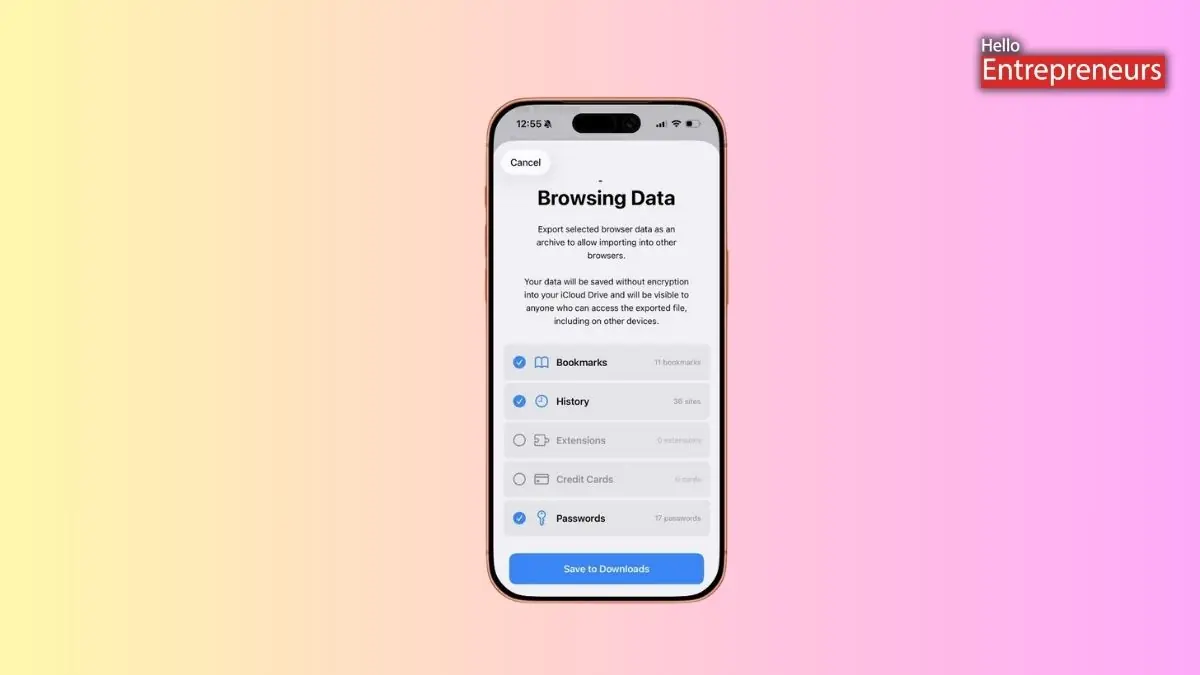
New Delhi: Google recently reported they are developing an on-device data migration feature on iOS that will enable Safari users to move their browsing data directly into Chrome. According to some sources, Google is testing a guided Safari import tool that is meant to make switching from Safari to Chrome easier on iPhones. A similar option already exists on the desktop, but this feature is now expected to arrive on iPhones.
The tool will depend on the ZIP file created using Safari’s “Export Browsing Data” option. Safari enables users to export their browsing data through some simple settings, which are below:
- Open the Settings app on iPhone
- Scroll down and tap on Apps
- Select Safari and look for the Export option under the History and Website Data section
- Choose the data you want to export
- Tap on Save to Downloads and follow the on-screen steps
Google is testing a dedicated Safari import option inside Chrome’s Settings in beta builds. When the user taps this option and selects the ZIP file created by Safari, Chrome reads the file and shows a summary of the included data before starting the transfer. After the imports finish, Chrome warns that the ZIP file contains private information and offers a quick option to delete the file immediately. The reports suggested that the feature is currently being tested in Chrome version 145 for TestFlight users. Since Chrome 144 is the current stable version, the latest Safari import option could reach the public version soon if testing goes smoothly.

