



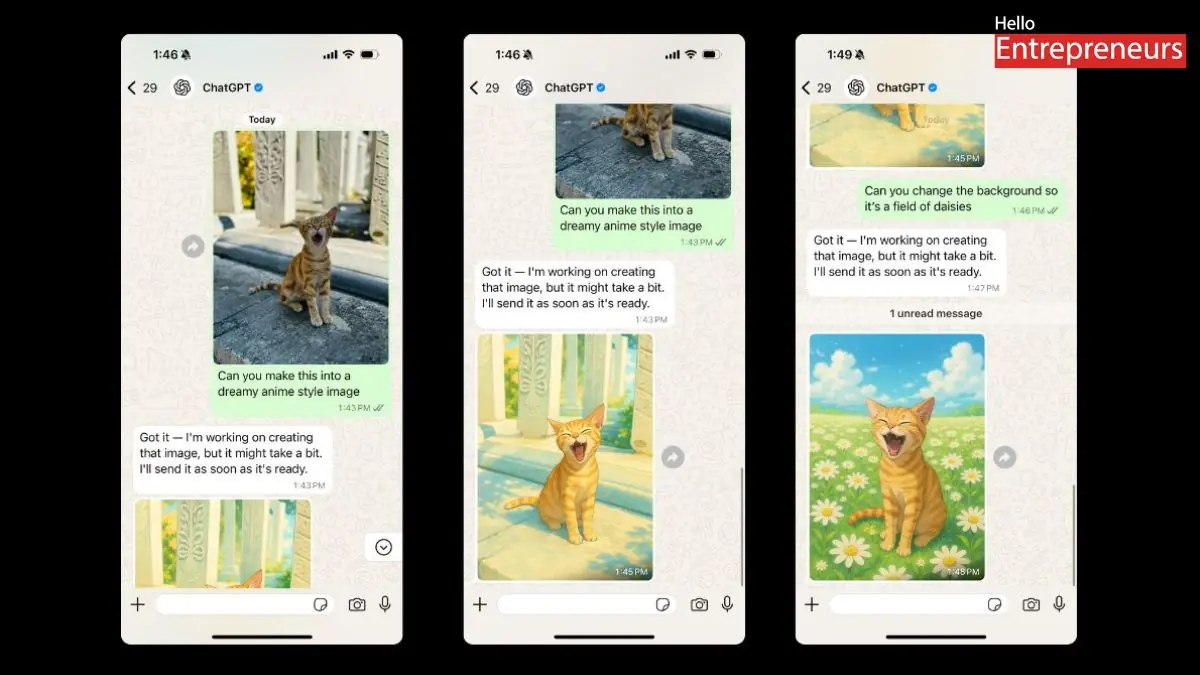
New Delhi: OpenAI has introduced ChatGPT image generation capabilities to WhatsApp, the world’s most popular instant messaging application. Until now, the feature has been available only to users through ChatGPT’s web and mobile apps. With the feature coming to WhatsApp, users will now be able to amplify their creativity. The feature is free to use and has been introduced in regions where ChatGPT is available on WhatsApp.
The latest development allows users to create or edit images directly within the messaging application. For free users, ChatGPT allows one image to be processed at a time. For instance, after making the image, it instructs the user to wait approximately 24 hours to create another image. Users attempted to use the image generator on WhatsApp, and it produced the output in just two minutes.
Now the key question here we have is; how to use the ChatGPT image generator on WhatsApp?
- To use the ChatGPT on WhatsApp, one is required to save =1 (800) 242-8478 on their smartphone. Once saved, users can go on WhatsApp and begin conversations by merely saying ”Hi”.
- Later, ChatGPT will prompt users to link their accounts, which they must follow, and they will be directed to a secure login page.
- After linking, one can start generating images. The bot will respond to text prompts within minutes. One can try prompts like Create a surreal image of Sunny Valley.
Some users have tried linking their ChatGPT account to WhatsApp; However, the chatbot was unable to do so. It appears that OpenAI is still working on linking users’ OpenAI accounts to their WhatsApp accounts, and users can expect an update soon.
In December last year, OpenAI introduced ChatGPT on WhatsApp and fixed landline phones, initially allowing users to talk to the chatbot for up to 15 minutes per month. The company has stated that speaking with ChatGPT over the phone line does not require an additional subscription or even an account. Users could ask personal queries, and ChatGPT could also teach them about the latest phrases in different languages. It essentially offers a natural language interface for the users.
In addition to image generation, WhatsApp users can summon ChatGPT for a variety of tasks. From instant recipes to proofreading or assistance with writing, ChatGPT on WhatsApp can be an incredible tool to boost productivity. Additionally, users can upload images to receive a description of the visuals. It can also help users draft instant messages, from applications and that ‘thank you notes’ to writing captions for social media; the chatbot can act as a user’s AI assistant on the go.

