



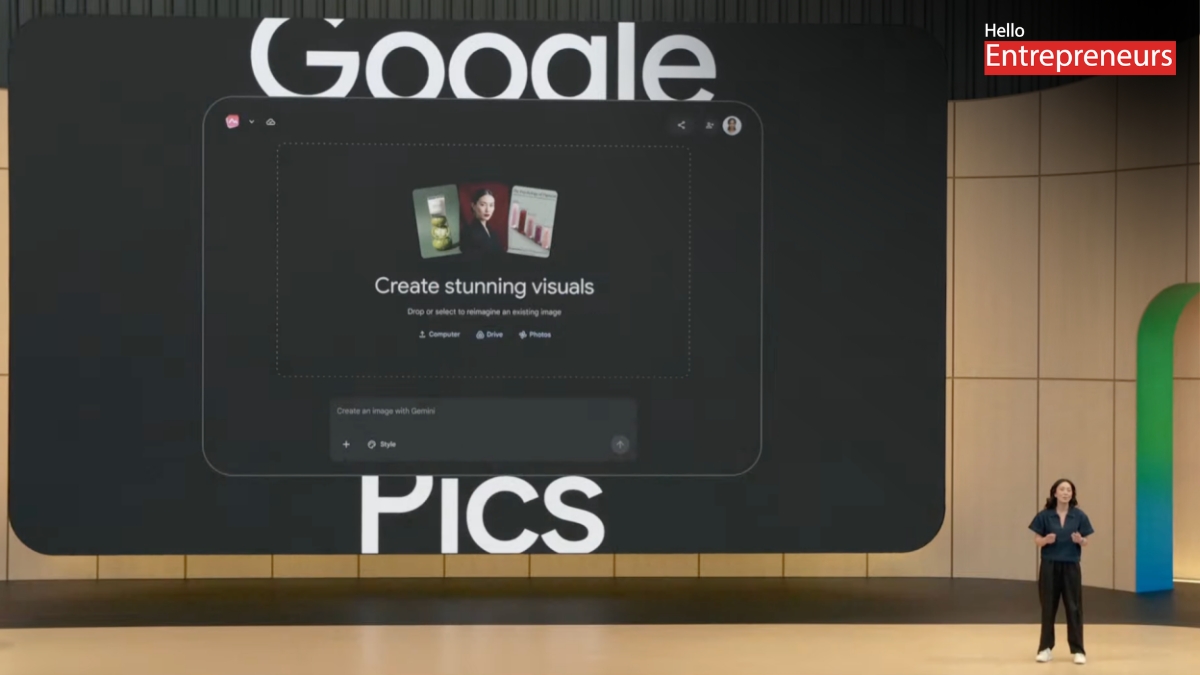
Google has just rolled out Google Pics, a new image and design tool packed right into Google Workspace. It’s clearly eyeing rivals like Canva and Adobe Express, but Google’s approach is all about AI. Powered by their latest Nano Banana imaging model, Google Pics lets you whip up things like posters, flyers, social media graphics, or presentations just by describing what you want—no need to drag design elements around or fight with a blank canvas.
So what exactly is Google Pics?
It’s a generative AI tool built for creating and editing images, and it works right inside Google Docs, Slides, and (soon) Drive. Most Workspace business users and those on Google’s AI Pro or Ultra plans get access. The whole idea is simple: Instead of starting from scratch, you tell Pics what you need—say, “a Diwali sale poster for a jewellery brand in gold and maroon”—and out pop several design options right away.
Here’s what makes Google Pics different
Prompt-to-design: Type out what you want once, pick from a bunch of options, and then fine-tune as you like.
Object-level editing: Want to move, resize, or swap a part of your image? Just tap what you want to change and tell Pics, without messing up the rest of the design.
In-image text control: Edit, reformat, or translate the actual text in your images—no losing font styles or scrambling layouts.
Format-ready exports: Instantly crop for web, social media, or print; upscale to 2K/4K; and undo mistakes with version history.
Seamless Workspace integration: Tweak images straight from Docs or Slides and share them or save to Drive—no opening new tabs or hunting for files.
How’s it stack up against Canva?
Google Pics puts the AI front and center; you work with prompts and let the tool generate designs for you. Canva, on the other hand, is more of a template library and drag-and-drop editor with AI as an add-on. Pics offers precise object editing—tap the part you want to change and give instructions—while Canva leans on layer-based, manual tweaks. Google Pics is part of the Workspace suite, and there’s no template marketplace or paid asset library. Canva, of course, thrives on user-created templates, letting designers earn royalties.
For users, this shakes out like so: Pics is great for teams, marketers, and educators who need fast, good-looking visuals without getting bogged down in design. Canva is better for those who build and reuse branded templates and want more manual control.
How to get started and who it helps
Google started rolling Pics out on September 1, 2026. If you want to try it, just head to pics.new or select an image in Docs or Slides and use the Pics editor. You can pull in images from your computer, Google Drive, or Google Photos, or just create something new from a text description.
This tool is part of Google’s push to bake smart AI features into all of Workspace. For Indian marketers, teachers, and small businesses, this means less time spent fiddling with outside design tools and faster turnarounds for campaigns, festival graphics, and social media posts. The translation feature is a real bonus, especially for making posters or ads in multiple Indian languages without rebuilding from scratch.
Still, if your brand relies on a lot of reusable templates or needs a steady supply of branded assets, you might stick with Canva for template management and use Pics when you need something fast and fresh.
To dive in, go to pics.new or open a Google Doc or Slide, insert an image, and hit edit with Pics. Type your prompt or bring in a photo, explore the design options, tweak any object or text, and export or share right from Workspace.
With Pics, Google is betting that design will move away from hands-on editing toward simple, conversational prompts—making it possible for anyone using Workspace to create high-quality images and graphics in less time.

