



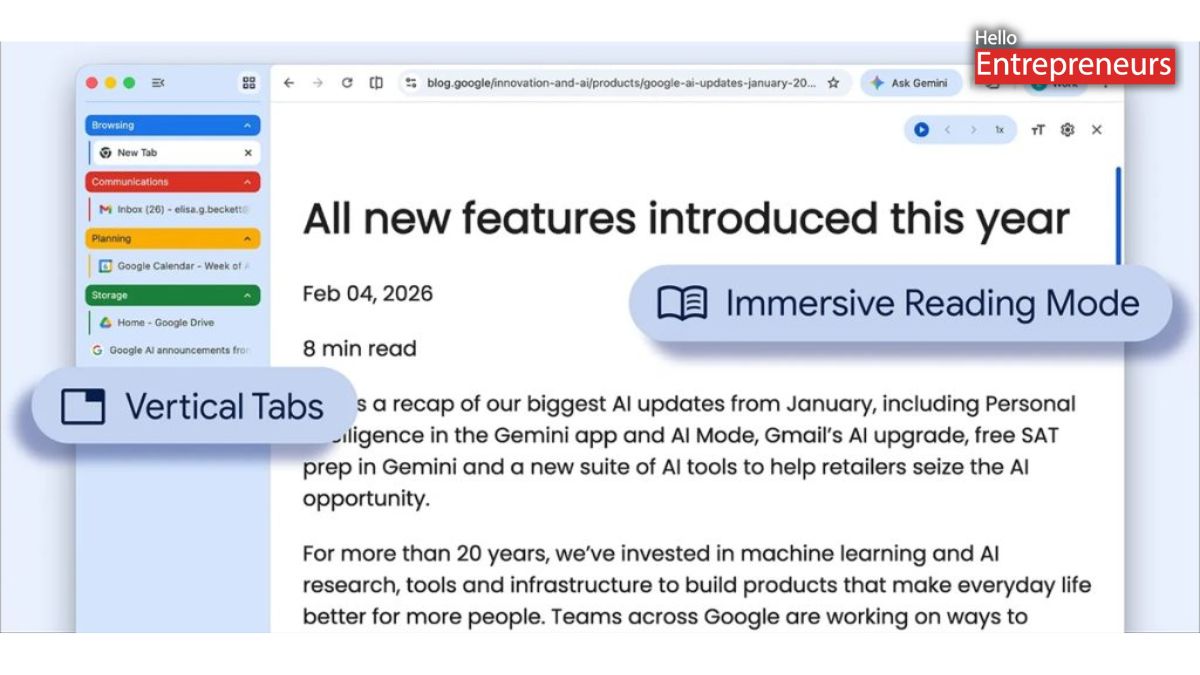
New Delhi: Google started rolling out its latest upgrade for the Chrome browser. This upgrade unveils the latest vertical tabs and an improved reading mode, by offering users more control over how they manage tabs and view the content.
While one feature aims at organizing multiple tabs, the other is especially designed to simplify reading on cluttered web pages. Now Chrome lets users switch from the traditional horizontal tab layout to a vertical one. By just right-clicking on any Chrome window and selecting Show tab vertically, tabs move to the side of the screen.
This layout makes it convenient to read full page titles, especially when many of the tabs are open. Rather than shrinking into tiny, unreadable strips, tabs remain clearly visible. It is also going to improve tab group management by helping users to organize related pages more efficiently.
This feature is very useful for those users who regularly work with multiple tabs. It will help to reduce the risk of losing track of the tab, especially when some pages on the same website look very similar because of those similar icons.
One more upgrade in Chrome’s reading mode, users can right-click on any page and choose Open in reading mode, to switch to a simpler text-only view.
This upgraded version now opens in full-page layout. It also removes ads, pop-ups, and other on-screen elements, leaving just the main content. This also makes it easier to read long articles or go through material without distractions.

