



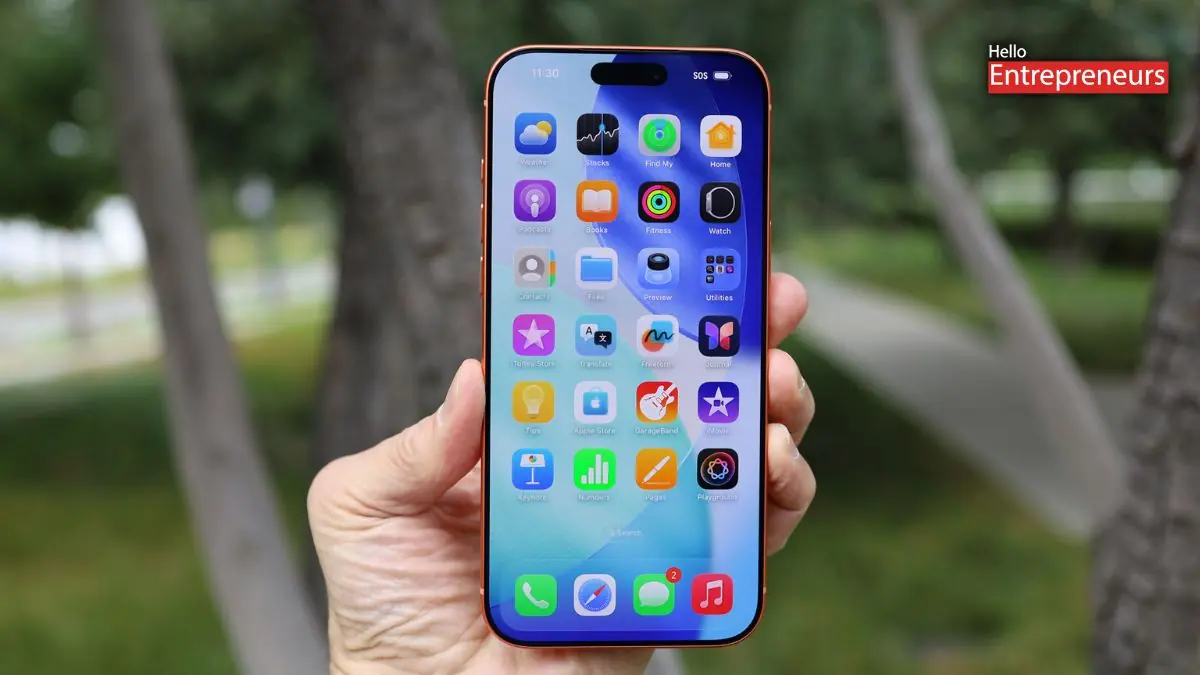
New Delhi: Apple has released its third developer beta of iOS 26.2, and this update surprisingly packs more additions than expected for the mid-cycle release. Even after iOS 26 introduced a major visual overhaul, Apple is continuing to refine the experience with the latest tools, deeper health integrations, and quality of life changes across AirDrop, Reminders, Games, and even the iPad’s multitasking system. However, with each beta, the company has quietly unlocked features that weren’t available in earlier builds while smoothing out rough edges from the redesign.
Now, let’s see which features come with this latest iOS 26.2 Beta 3:
AirDrop codes make file sharing easier
One of the most highlighted features in this iOS 26.2 Beta 3 update is Apple’s latest AirDrop code system. Users can now generate a one-time code that lets someone outside their contact list send or receive files for up to 30 days. Apple has also added the ” Manage Known AirDrop Contacts section in Settings so users can quickly remove shared access. It is a small change, but it could be a significant convenience boost for the people who often exchange files with their colleagues or their family and friends.
Hypertension alerts reach third-party health applications
This update also expands Apple’s health ecosystem, with the latest API that allows third-party applications to read Hypertension Notifications generated by Apple Watch. If the user receives a high blood pressure alert, compatible applications can now detect that data directly from the health application, opening the door for more meaningful health monitoring tools from developers.
Privacy prompt refreshed for Apple Accounts
After installing the iOS 26.2 Beta 3, users will now see an updated privacy notice explaining how Apple handles information tied to Apple Accounts. It is a routine update, but Apple tends to surface these prompts when it wants users to be more aware of how data is collected and used.
Japan may soon get alternative voice assistants
Code in the beta also points to a region-specific change; users in Japan may soon be able to choose a different voice assistant for the Side Button’s press-and-hold gesture. Siri is currently the only option globally, but regulatory requirements in Japan mean Apple is preparing to allow alternatives like Gemini or Alexa. The features will be restricted to Japan-based Apple Accounts.
Liquid Glass interface gets smarter
Apple is now making the latest Liquid Glass design more user-friendly. The Tinted mode is now automatically disabled when conflicting accessibility settings, such as Increase Contrast and Reduce Transparency, are enabled, making the features far easier to toggle. The updated Liquid Glass styled Level inside the Measure application has also been refined so numbers remain clearly visible.
The game’s application gets a usability boost
This latest iOS 26.2 Beta 3 includes a splash screen showcasing upcoming additions to the Games application. Apple is now preparing sorting and filtering tools for the games library, smoother controller navigation, and real-time challenge score updates during gameplay. The application is slowly evolving from the basic collection folder into a more structured gaming hub.
Reminders introduces alarms for urgent tasks
Reminders now show a feature added in this latest update, marking a reminder as urgent can trigger an alarm. This is much louder and harder to miss than regular notifications and can break through Focus modes. A splash card inside the application explains the feature to first-time users.
iPadOS multitasking regains old capabilities
This latest third beta restores the ability to drag an application from the Dock, App Library, or Spotlight directly into Split View or Slide Over. This behaviour disappeared during the jump from iPadOS 18 to iPadOS 26 but is now making a return, signalling Apple’s attempt to stabilise multitasking after the redesign.
However, after these features, Apple has packed several testing changes into the update. The Sleep Score categories have been tuned following user feedback. Apple Podcasts is now using AI to generate chapters and link related content automatically. Messages in CarPlay can turn off pinned conversations. Apple News get quicker access to major sections. AirPods Live Translation will expand to EU countries in December, likely to be in a public rollout of iOS 26.2. The lock screen gets a more dramatic Liquid Glass slider for adjusting clock transparency across all fonts.

