



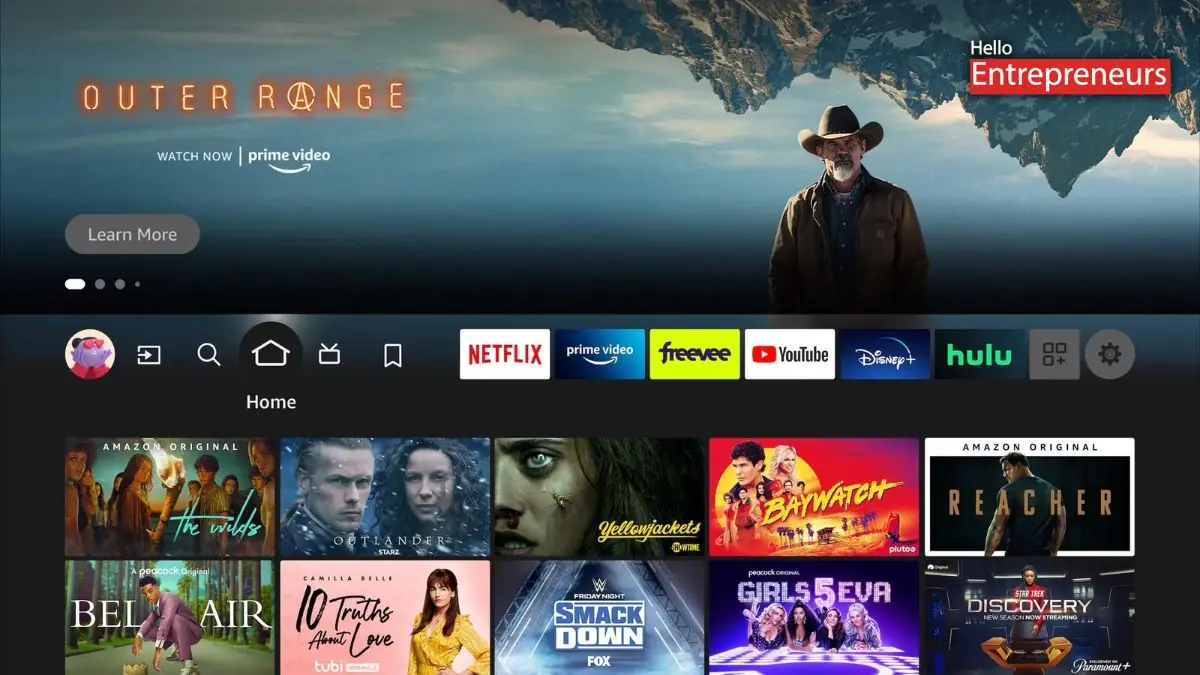
New Delhi: Amazon has recently commenced the rollout of the latest redesigned edition of the Amazon Fire TV mobile applications, revealing the updated interface that is designed to make it simpler for the user to access the streaming content from their devices. The update has also begun reaching the users and brings features such as watchlist management and expanded browsing across the streaming catalogues.
This mobile application redesign is part of the broader overhaul of the Fire TV ecosystem, which is also going to include a redesigned interface for the Fire TV devices. Amazon has also stated that the updated experience aims for faster navigation and improved organization.
While the television interface will roll out as a free software update to supported devices, the updated mobile applications are being released to users gradually. The upgraded Fire TV mobile application is especially designed to expand the viewing experience beyond the television and offer easier ways to browse and manage content.
The users can explore streaming catalogues across the installed applications, manage their watchlists, and start playback on their television directly from their smartphones.
Visual design has also been upgraded to align more closely with the latest Fire TV interface, by providing a more consistent experience across devices to the users. The application can also function as a second screen, by enabling users to discover shows, save recommendations from friends, or add titles to their watchlists even when they are away from home.
The redesigned mobile application will reach users in India, the UK, Germany, France, Italy, Spain, and Japan first before gradually rolling out to more users in other countries over the coming weeks.
The interface has been rebuilt with a cleaner layout and updated design elements, including revised typography, colour gradients, and spacing. Amazon has also added that the underlying software has been reworked, resulting in performance improvements.
The redesign focuses on reducing the time users spend searching for content across multiple streaming platforms. Interface comes with dedicated browsing sections for different content types such as movies, television shows, sports, news, and live programming.
The home screen has also been expanded to enable the users to pin up to 20 applications. A quick access feature has been added through the remote control, including a shortcut panel activated by long-pressing the Home Button. This panel offers direct access to frequently used controls such as audio and display settings, connected cameras, and smart home devices.
Integration with Amazon Photos enables the personal photo libraries to be displayed on televisions when the device is idle.

