



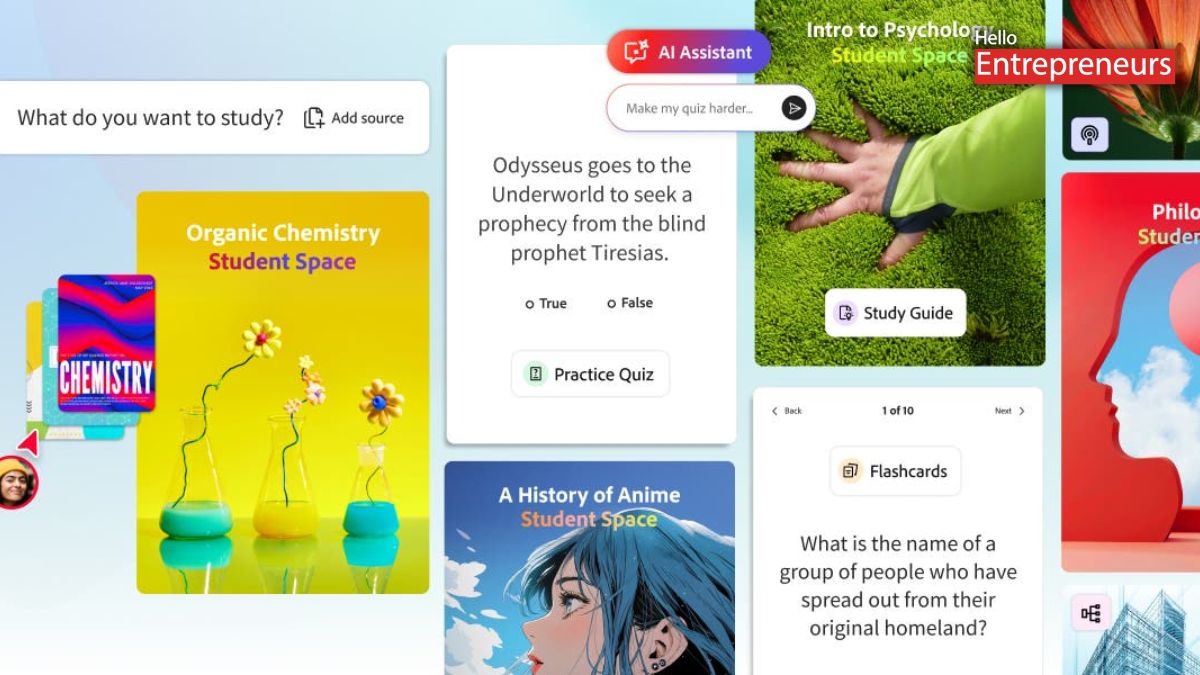
New Delhi: Recently, Adobe has released its latest feature called Student Spaces in its Adobe Acrobat that will enable students to organize study material and manage coursework more efficiently. It is currently available in beta and free to use, which brings together notes, documents, and AI-powered tools in one place.
It enables users to create study guides, summaries, and other learning materials while also supporting revision and group work.
Now, let’s see how Student Spaces actually works for the student. It acts as a central hub where the students can add class notes, documents, and links. The tool will generate study guides, mind maps, flashcards, and quizzes. This will help to break down large volumes of information into simpler formats, making revision more manageable.
This feature is built by the company to support different academic needs, whether it is gearing up for exams, working on assignments, or handling group projects.
This feature is developed with the feedback from the students to better match their real study habits. Adobe has plans to continue by upgrading Student Spaces based on user input, as it now expands the tool beyond its current available beta version.
It can explain those complex topics in a simpler way and offer responses linked directly to the source material. This enables the students to check where the information is coming from, rather than relying on the answers without context.
Acrobat’s AI Assistant is like having a tutor available for students 24/7 that breaks down complex topics.
Students have one more advantage: they can convert their topics into short summaries or longer podcast-style explanations for better understanding.
This will also enable them to study while doing other activities. Adobe has also explained that the option is very useful for those who prefer to listen instead of reading or want to revise content without being on the screen.
One more interesting feature that students get in Students Space is that they can invite their other classmates to a shared space where they can exchange notes, ask questions, and work on presentations together. This will reduce the need to switch between different applications for collaboration.
It is specially designed to keep the group discussions and materials organized in one place.

